IC7 Game Download

Download the Latest
IC7 APK for Android

The IC7 game download takes about five minutes end to end — most of which is Android installing a 40 MB file. This page walks through every step honestly: how to get the latest IC7 APK, why Android warns you about apps from outside the Play Store, what to do if the install fails, how iPhone users play without an APK, and how to update from an old IC7 app version without losing your account.

  • ~40 MB APK
  • Android 6.0+
  • Free to Install
  • 18+ Only
The IC7 game app installed and running on an Android smartphone
App Details

IC7 APK Specifications

The technical details for the current IC7 APK release. Specifications change with updates, so treat these as a description of the latest build — always take the latest IC7 APK rather than an older file you have saved somewhere.

IC7 game app and APK specifications
App nameIC7 Game
PlatformAndroid (APK) & mobile web. iOS via web app.
Approximate size~40 MB
Android requiredAndroid 6.0 (Marshmallow) or newer
Games available106 titles across 6 categories
CurrencyIndian Rupee (₹ / INR)
Deposit methodsUPI, net banking, debit & credit card
Withdrawal methodsUPI, direct bank transfer (IMPS/NEFT)
Welcome bonusUp to ₹10,000 across opening deposits
Minimum age18 years
Support24/7 via Telegram

The IC7 app is not distributed through the Google Play Store, so there is no Play Store listing and no automatic update. Downloads and updates are handled through the official link on this page.

Android Install Guide

How to Download and Install the IC7 APK

Three phases: get the file, let Android install it, and set up your account. The middle phase is where most people stall, because Android deliberately makes you confirm that you meant to install an app that did not come from the Play Store. That confirmation is the whole obstacle — once it is done, it never asks again for that browser.

1

Get the File

Open the official IC7 link on your Android phone and tap the download button. Your browser downloads a file of roughly 40 MB — under a minute on a normal 4G connection. Some browsers ask you to confirm the download of an APK file; that is a browser prompt, not an error, and you should accept it.

2

Allow the Install

When you open the file, Android will say your phone is not allowed to install unknown apps from this source. Tap Settings on that prompt and turn on the permission for the browser you downloaded with, then come back. This is a one-time toggle for that browser, not a change to your phone's overall security.

3

Register and Play

Tap Install, wait for it to finish, then open IC7. Register with your mobile number, enter the OTP, and make a deposit through UPI, net banking or card. Read the wagering condition on the bonus screen before accepting the welcome offer, and set a session limit before your first bet.

The full sequence, in detail

  1. Tap the download button. Use the official IC7 link from this page. Your browser will start downloading the APK — it is around 40 MB. Chrome and most other Android browsers show a small confirmation first ("This type of file can harm your device") because APKs are executable; tap Download anyway or OK. Wait for the download to complete fully before you tap it. A partially downloaded APK is the single most common cause of the "App not installed" error later on.
  2. Open the file. Tap the completed download in your notification shade, or open FilesDownloads and tap the IC7 APK there.
  3. Android will stop you — this is expected. You will see a message along the lines of "For your security, your phone is not allowed to install unknown apps from this source." Nothing has gone wrong. Android shows this for every app that did not arrive through the Play Store, and real-money gaming apps generally cannot be listed there under Play Store policy, so an APK is the only way they are distributed. Android is asking whether you trust the source — it has not detected anything in the file.
  4. Allow installs for your browser. The quickest route is to tap Settings directly on that prompt: it drops you exactly where you need to be, and you flip the toggle on. If you would rather do it manually, the path is SettingsAppsSpecial access (sometimes Advanced or Special app access) › Install unknown apps › pick your browser › Allow from this source. The exact wording differs a little between Android versions and between Samsung, Xiaomi, Realme, OnePlus and stock Android — but it is always a per-app permission, and it is always granted to the browser, not to IC7.
  5. Install. Go back and tap the APK again, then tap Install. Installation takes well under a minute on most phones. Some manufacturers run an additional scan of the file at this point and show their own confirmation — that is Google Play Protect or the manufacturer's equivalent doing its job, and you can continue.
  6. Open the app and register. Launch IC7 and sign up with your mobile number. An OTP arrives by SMS; enter it to verify. You must be 18 or over, and you must not be resident in a state where real-money gaming is restricted (see the notice in the footer).
  7. Deposit and claim the bonus. Add funds by UPI, net banking or card — deposits credit instantly. The app shows the welcome offer of up to ₹10,000 across your opening deposits, along with its wagering requirement. Read that requirement before you accept: a bonus you must play through many times over is worth considerably less than its headline number suggests.
  8. Optional — re-tighten the permission. Once IC7 is installed, you can go back to Install unknown apps and switch the permission for your browser back off. The IC7 app keeps working; you have simply closed the door behind you. You will need to re-enable it for a minute the next time you install an update, and that is a perfectly reasonable trade. We would rather tell you this than leave a permission open on your phone that you did not consciously decide to keep.
Straight Answer

Why Android Warns You About the IC7 APK

Almost everyone who downloads an app outside the Play Store for the first time stops at the same screen and wonders whether they are about to break their phone. You are not, and it is worth understanding exactly what that warning is and is not.

Android divides app installs into two categories: apps delivered by the Play Store, and everything else. Anything in the second category triggers the "install unknown apps" gate — a calculator, a company's internal HR app, a beta build of a game, and the IC7 APK all produce the identical warning. It is a statement about where the file came from, not about what is inside it. Android has not scanned the IC7 APK and found something; it simply has no Play Store record for it and is asking you to take responsibility for the source.

The reason IC7 is distributed this way at all is straightforward: the Google Play Store's policies severely restrict real-money gambling and gaming apps, and in most of the world — India included — apps of this type are not permitted as ordinary Play Store listings. So they ship as APKs. That is the norm for the entire category, not something unusual about IC7.

What the warning should teach you is a real habit: the safety of an APK is entirely a function of where you got it. A modified IC7 build re-uploaded to some random mirror site can contain anything its uploader put there, and no warning screen will save you from installing it if you tap through. So keep the instinct the warning is trying to give you — just point it at the right question. Not "is Android complaining?" but "did this file come from the official link?"

And do not go further than you need to. You will find guides telling you to turn on a device-wide "unknown sources" setting and leave it on. Do not. The modern per-app permission exists precisely so you can grant install rights to one browser for one install and then take them back, and that is exactly what we recommend you do.

iPhone & iPad

There Is No IC7 APK for iOS — Here's What You Do Instead

Let's be blunt, because a lot of sites are not: APK is an Android file format. It does not exist on iOS and it cannot be installed on an iPhone or iPad. Any site offering you an "IC7 APK for iPhone" is either confused or lying to you, and you should close it.

iOS players use the IC7 mobile web app instead. It runs in Safari, it needs no download and no install, and it carries the same account, the same balance and the same game library as the Android app — because it is talking to the same servers. In practice the only thing you give up is push notifications.

You can also make it behave almost exactly like an installed app by adding it to your Home Screen. iOS then gives it its own icon and launches it full-screen without the Safari address bar, which is close enough to a native app that most people forget the difference:

  1. Open Safari on your iPhone or iPad and go to the official IC7 link.
  2. Tap the Share button — the square with an upward arrow, in the toolbar.
  3. Scroll down the share sheet and tap Add to Home Screen.
  4. Name it (IC7 is fine) and tap Add.
  5. The IC7 icon now sits on your Home Screen and opens the app full-screen. Register with your mobile number and OTP exactly as an Android user would.

Use Safari for this — Chrome and other browsers on iOS cannot add a true full-screen web app to the Home Screen in the same way, because they are all running on Safari's engine under restrictions Apple applies to them.

Desktop & PC

Playing IC7 on a Laptop or PC

There is no Windows or macOS installer, and you do not need one. Open the official IC7 link in any current browser — Chrome, Edge, Firefox or Safari — log in with the account you already created, and the full lobby loads in the browser window. No download, no APK, no emulator.

Your account is server-side, so the balance, bonus progress, transaction history and KYC status you see on desktop are the same ones you see in the Android app. You can deposit on your phone and play on your laptop, or start a session on desktop and finish it on mobile.

Desktop suits some parts of the library better than others. Live dealer tables and the slots catalogue are noticeably more comfortable on a large screen with a stable Wi-Fi connection. The fast instant games — Crash, Mines, Plinko — were designed around a thumb and honestly feel better on a phone. Fishing arcades want a big screen if you have one.

One thing worth saying plainly: you may see suggestions to run the IC7 APK on a PC through an Android emulator. There is no reason to. The browser version gives you the same games with less software, less risk and no performance penalty.

Before You Download

System Requirements

The IC7 app was built for the mid-range Android phones most Indian players actually own, not for flagships. These are the real thresholds — and where the honest headroom recommendation differs from the bare minimum, we have said so.

Android 6.0+

Android 6.0 (Marshmallow) is the floor. Anything newer is fine. If your phone is older than that, the app will refuse to install — and the browser version is your route in instead.

~40 MB, but leave 200 MB

The APK itself is around 40 MB. The app then caches game assets as you play, so a phone sitting at 50 MB free will start failing in irritating ways. Give it 200 MB of headroom and forget about it.

2 GB RAM minimum

2 GB runs the lobby, the card games and the slots without complaint. Live dealer streams and the busier fishing rooms are happier with 3 GB or more, especially if you keep a lot of apps open in the background.

Stable 4G or Wi-Fi

Slots and instant games are light — they will run on a weak signal. Live dealer tables are a video stream and need real bandwidth; on a patchy connection they are the first thing to stutter. If a live table keeps buffering, the network is usually the culprit, not the app.

Old Versions

Updating From an Old IC7 App Version

A lot of people arrive here searching for an ic7 old app or an ic7 old version — usually because an older build is already on their phone and they are nervous that updating will cost them something. It will not, and it is worth explaining why in a way that actually reassures you rather than just telling you to trust us.

Your account is not stored on your phone

The IC7 app on your handset is a client. Your account, your balance, your bonus progress, your transaction history and your KYC status all live on IC7's servers, tied to the mobile number you registered with. The APK is just the window you look through. Replace the window and everything on the other side of it is exactly where you left it.

That is why installing the latest IC7 APK over an older build is safe: you log back in with the same number and everything is there. It is also why nobody can lose a balance by updating.

You do not need to uninstall first

Install the new APK straight over the top. Android recognises it as the same app signed by the same developer and performs an in-place upgrade, keeping your local settings and login session. Uninstalling first is unnecessary, and it will simply force you to log in again.

The one situation where uninstalling helps is if an update refuses to install with a signature or "app not installed" error — occasionally a corrupted install gets into a state where a clean reinstall is the fastest fix. Even then you lose nothing but the login session.

Old builds eventually stop working, and this is not a trick to make you update

Real-money gaming clients talk to live servers, and those servers move on. As game providers update their streaming and settlement protocols, older IC7 builds gradually lose compatibility. The symptoms are consistent and recognisable:

  • Live dealer tables show a permanent spinner or fail to connect while the rest of the lobby loads fine.
  • New games appear in the lobby list but will not open.
  • Deposits fail or time out because the payment flow has been updated server-side.
  • The app logs you out repeatedly, or the balance display does not refresh.

If you are seeing any of those on an old IC7 app version, the update is the fix, and no amount of clearing cache or reinstalling the same old file will help.

Do not hunt down an old IC7 APK

There is a small trade in "ic7 old version" APKs on mirror sites, and it is a bad idea for two reasons. The first is that an old build is a broken build, for the reasons above — you are deliberately installing something that will fail. The second is more serious: an old APK on a third-party site is the ideal vehicle for a modified, repackaged build, because the people downloading it have already decided not to use the official source. Always take the latest IC7 APK from the official link.

Troubleshooting

When the IC7 Game Download Goes Wrong

Almost every failed install comes down to one of six things. Work through the one that matches your symptom — and if none of them do, Telegram support can see your account and will resolve it faster than guesswork will.

"App not installed"

Nearly always one of two causes. Either the download did not complete — a dropped connection leaves you with a partial APK that Android cannot parse — or the phone is short on storage. Delete the downloaded file, free up at least 200 MB, and download it again from the official link on a stable connection. If you were updating an existing IC7 app, uninstalling the old build and installing fresh clears the rare signature conflict. You will not lose your account: it lives on the server.

"Install blocked" / "not allowed to install unknown apps"

This is the permission gate, not a fault. Tap Settings on the prompt and allow installs for the browser you downloaded with, then open the APK again. If you dismissed the prompt, go to SettingsAppsSpecial accessInstall unknown apps, pick your browser, and turn it on. Grant it to the browser — people often look for IC7 in that list and cannot find it, because IC7 is not installed yet.

The download never starts

Some Android browsers silently block APK downloads, and some phones ship with a data-saver or "safe browsing" mode that quietly kills them. Check your notification shade for a blocked download notice and tap it. Try again in Chrome, switch off any VPN or data-saving mode, and make sure you have storage free. If your browser asked "This type of file can harm your device", you need to tap Download anyway — dismissing it cancels the download.

The app installs but won't open

Restart the phone first — it fixes this more often than it has any right to. Then confirm your Android version is 6.0 or newer, because an older OS will install the package and then fail at launch. If it still will not open, clear the app's cache from SettingsAppsIC7Storage, or reinstall the latest APK over the top. A phone very low on free storage will also fail to launch apps.

Live tables won't load

If the lobby works but live dealer tables spin forever, there are two suspects. Bandwidth: live tables are video streams and need considerably more than slots do — test on Wi-Fi before blaming the app. And version: an old IC7 app build loses server compatibility, and live tables are the first thing to break. If you are not on the latest IC7 APK, update, and the problem usually disappears.

The OTP never arrives

Give it a full minute before resending — Indian SMS routes are frequently slower than the countdown timer suggests. Check that you are in signal, that the number you typed is right, and that you have not blocked promotional or transactional SMS through DND settings or an SMS-filtering app. Then use the resend option. If several attempts fail, Telegram support can verify you another way.

A deposit hasn't credited

Wait a few minutes first — UPI is usually instant but not always. If the money has left your bank and has not appeared in the app, do not repeat the payment. Take the UPI transaction reference (UTR) or bank reference number, plus the amount and time, and send them to Telegram support. That reference is what lets them trace and settle it. Repeating the deposit just creates a second transaction to untangle.

Still stuck?

Support runs 24/7 on Telegram and is staffed by people who can actually see your account. Tell them your registered mobile number, your phone model and Android version, and exactly what the screen says. Those three things resolve most cases in one message instead of five.

Safety

Only Install the IC7 APK From the Official Link

This is the most important paragraph on the page, so we will not dress it up. The single biggest risk in downloading any Android app outside the Play Store is not the app — it is the mirror. Third-party APK sites make their money from traffic, they do not verify what they host, and a popular app name is exactly the bait a repackaged, malware-carrying build needs. Someone takes a legitimate APK, adds something of their own, re-signs it, and uploads it under the same name. It installs. It even works. And it is not the app you thought you were installing.

The defence is simple and it is entirely in your hands:

  • Download only from the official link. Every download button on this site points at it. If you found an IC7 APK anywhere else — a search result, a file-sharing site, a WhatsApp forward, a YouTube description — do not install it.
  • Never install an APK someone sent you. Not a friend, not a Telegram group, not a "sponsor" offering a modified version with extra bonuses. There is no such thing as a modified IC7 build with extra bonuses; the balance is on the server, and the only thing a modified client can change is what runs on your phone.
  • Treat "IC7 mod APK" and "IC7 hack" results as hostile. They cannot do what they claim, for the reason above, and the reason they exist is to get you to install something.
  • Grant the install permission to your browser, not device-wide. Then turn it off again afterwards if you want to. The per-app permission exists exactly so you can.
  • Leave Google Play Protect on. It scans sideloaded apps too, and it costs you nothing to keep it running.

Beyond the file itself: IC7 will never ask for your UPI PIN, your bank password, or an OTP that you did not just request yourself. No legitimate support agent on any platform will ever ask you for those. If someone claiming to be IC7 support asks, they are not IC7 support — the only official support channel is the Telegram account linked on this site.

After You Install

Your Welcome Package

₹10,000

New players receive a welcome package worth up to ₹10,000 spread across their opening deposits. It carries a wagering requirement like every welcome bonus in this industry does — the app shows you that number on screen before you accept. Read it, then decide.

After Install

What You'll See When the App Opens

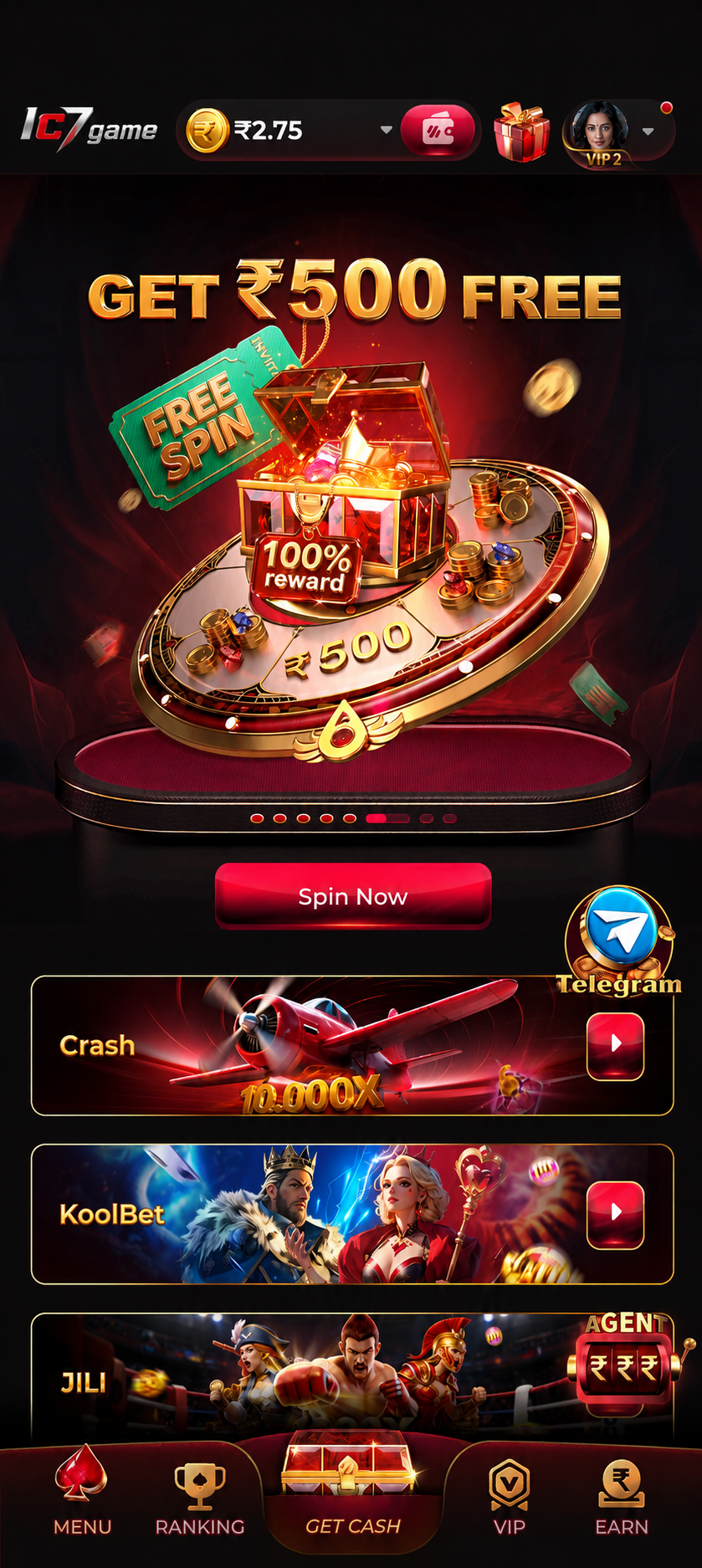
The screens you land on once the IC7 game download is done and you have registered — the lobby, the deposit sheet, a live table, and the withdrawal flow.

IC7 app game lobby after installing the APK
The lobbyFirst screen after login. Every category, one scroll.
IC7 app deposit screen showing UPI
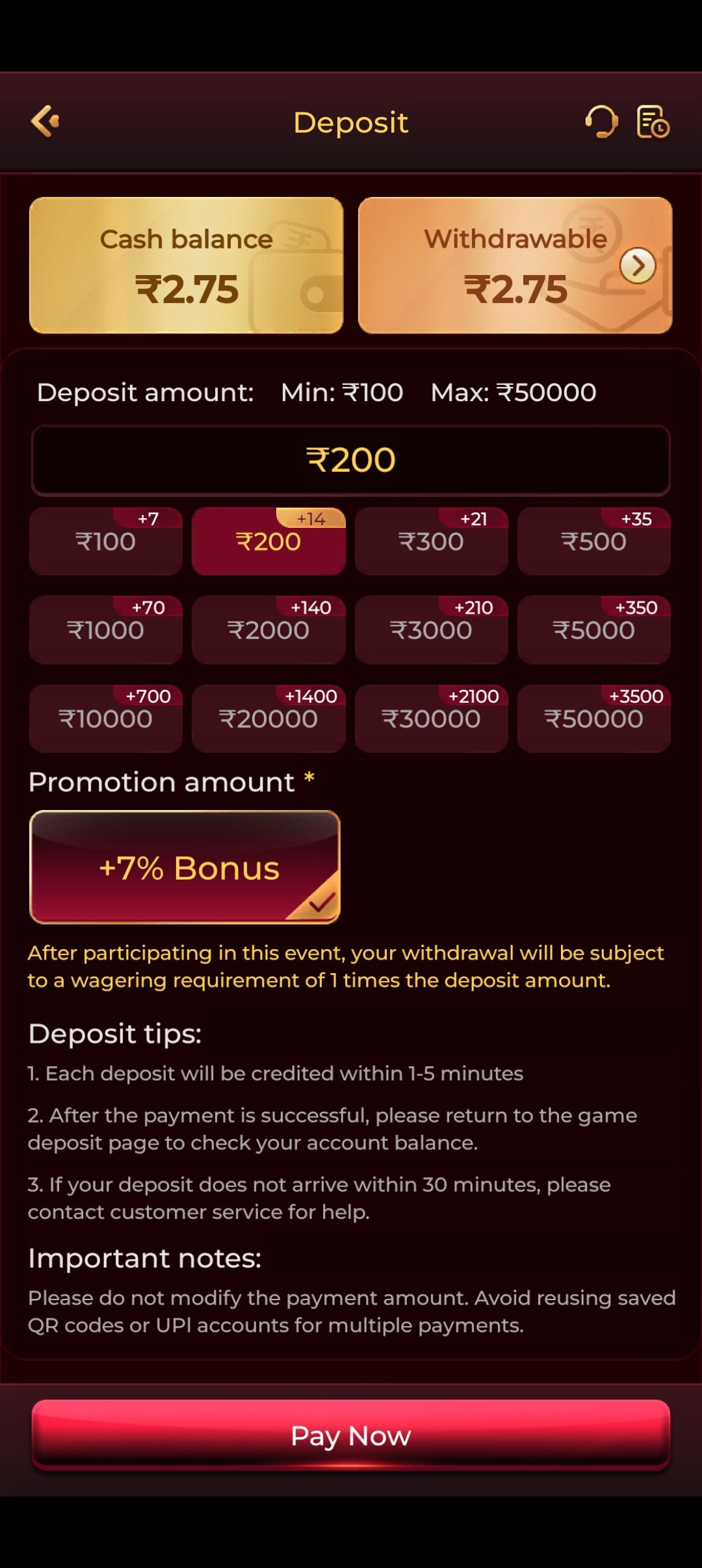
DepositUPI, net banking and cards. Funds land immediately.
IC7 app bonus and promotions screen
Bonus screenThe wagering condition is shown here. Read it.
IC7 app live dealer table
Live tablesThe part of the app that needs real bandwidth.
IC7 app withdrawal request screen
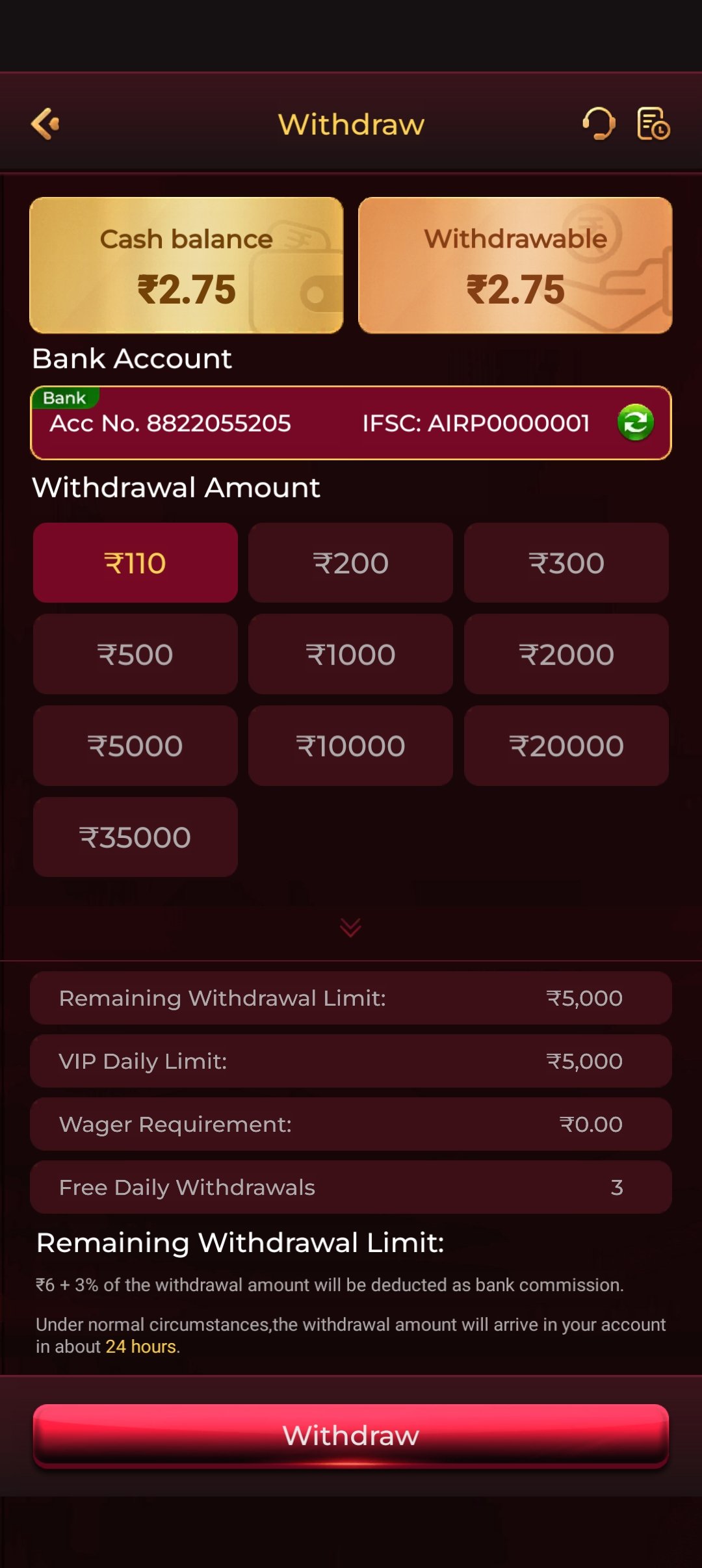
WithdrawalsRequest, confirm, done. KYC once, then fast.
IC7 app wallet and transaction history
Your walletBalance, bonus balance, full transaction history.
FAQ

IC7 Game Download — Common Questions

Use the download button on this page — it sends you to the official IC7 link. Because the app is distributed outside the Play Store, there is no Play Store listing to search for. Do not take the IC7 APK from third-party mirror sites: they do not verify what they host, and they are how modified builds spread.

Android shows that prompt for every app installed from outside the Play Store, whatever the app is. It is a statement about the source, not a detection of anything in the file. Real-money gaming apps generally cannot be listed on the Play Store under its policies, so they ship as APKs. Allow the install for your browser, and the prompt does not return.

It is safe when you take it from the official link. The real risk with any Android APK is the source, not the format: a repackaged build hosted on a random mirror site can contain anything its uploader added. Only install the IC7 APK from the official link on this site, never from a forwarded file or a search result, and leave Google Play Protect switched on.

The IC7 APK is around 40 MB and requires Android 6.0 (Marshmallow) or newer. Keep at least 200 MB of storage free even though the file is smaller than that — the app caches game assets as you play, and a phone running near-full will start throwing install and launch errors.

No. Install the latest IC7 APK straight over the top of the old build — Android performs an in-place upgrade. Your account, balance, bonus progress and history are stored on IC7's servers against your registered mobile number, not on your phone, so updating cannot cost you anything. Uninstalling first is only worth doing if an update refuses to install.

No — and this is the one place we would push back hardest. Old IC7 builds gradually lose compatibility with the game servers: live tables stop connecting, new games will not open, and deposits start failing. You would be deliberately installing something broken. Worse, old versions are only found on third-party mirrors, which is exactly where modified APKs live. Always take the latest IC7 APK from the official link.
No, and nobody can give you one — APK is an Android file format that iOS cannot install. Any site offering an "IC7 APK for iPhone" is misleading you. iOS players open IC7 in Safari and use the mobile web app, which runs the same account and the same games. Use Safari's Share menu to Add to Home Screen and it gets its own icon and launches full-screen.

Manually — there is no Play Store auto-update. Download the latest IC7 APK from the official link and install it over your existing app. If you switched the "install unknown apps" permission back off after your first install, you will need to re-enable it for your browser for a minute. That is a small price for keeping the permission closed the rest of the time.

The download is free but carries no bonus by itself. The welcome package of up to ₹10,000 is applied across your opening deposits once you register. Like every welcome bonus in this industry it carries a wagering requirement — you must play through it a set number of times before it becomes withdrawable cash. The app shows you that number before you accept. Read it; a high playthrough requirement makes a headline figure worth far less than it looks.

Yes. Open the official IC7 link in any modern desktop browser and play the web version — no download and no emulator needed. It is the same account, the same balance and the same 106 games as the Android app, because everything is server-side. You can deposit on your phone and play on your laptop without doing anything special.

No. The platform is not available to residents of Andhra Pradesh, Assam, Odisha, Telangana, Nagaland or Sikkim, in line with the gaming regulations in force in those states. You must also be 18 or over. Real-money gaming law in India varies significantly by state and changes over time — confirm the rules where you live before you download.

Ready to Download?

Get the latest IC7 APK, allow the one-time install permission, register in two minutes, and claim your welcome bonus. Set a limit before your first bet — and if it stops being fun, stop.